
Waka TV App Download for Android TV & Google TV (2026 Guide)
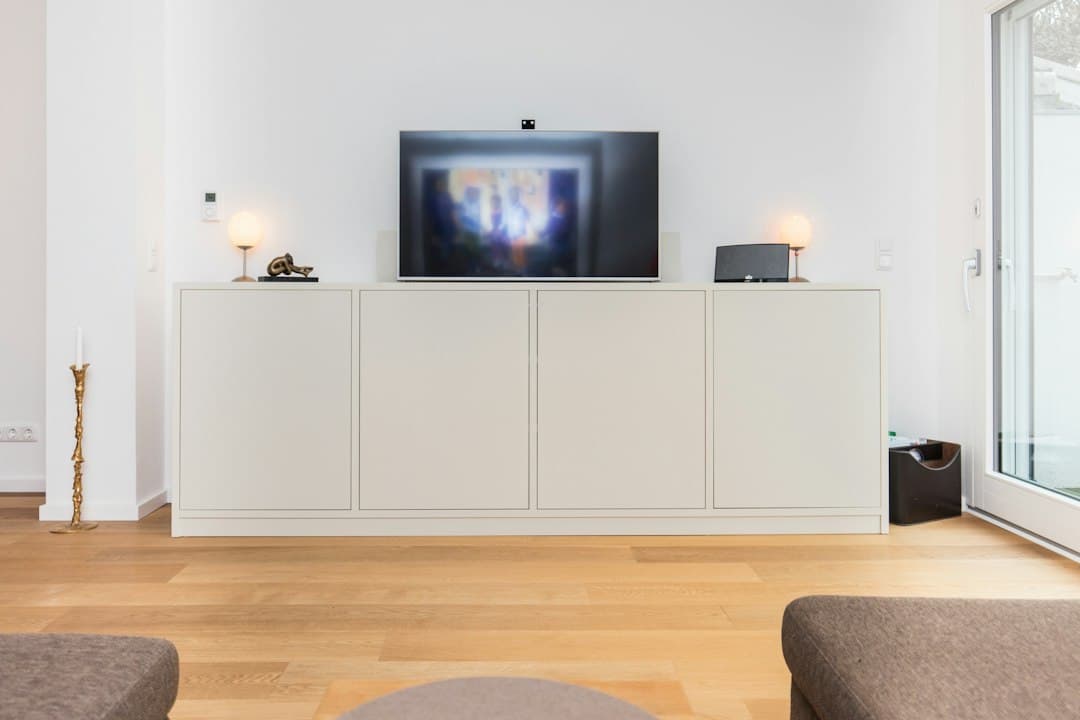
If your Smart TV runs Android TV or Google TV, you don't need a stick or a box to watch Waka TV — the app installs straight onto the TV. This guide walks through the Waka TV app download for Android TV and Google TV: how to check whether your TV qualifies, two ways to install, and the settings that make the picture look its best.
Does my TV run Android TV or Google TV?
Many TVs sold in South Africa run Google's TV software, including models from TCL, Sony, Philips and Xiaomi, and some Hisense models (many Hisense TVs use Hisense's own VIDAA system instead). The quickest ways to check:
- Look for the Google Play Store on the home screen or in the apps list.
- Check the settings: go to Settings → Device Preferences → About (Android TV) or Settings → System → About (Google TV) and look for "Android TV OS" or "Google TV".
- Check the remote: a Google Assistant or microphone button is a good sign.
If your TV is a Samsung (Tizen), LG (webOS) or a VIDAA model, it won't run Android apps — plug in a Fire TV Stick or an Android TV box instead. Our setup guide covers those.
Option 1: Waka TV app download for Android TV from the Play Store
The player behind Waka TV is published on Google Play for both Android and Android TV, listed as Zest Player IBO.
- Open the Google Play Store on your TV (on Google TV, go to the Apps tab, then Search for apps).
- Search for Zest Player IBO using the remote or voice search.
- Select Install, then Open.
- Log in with the Waka TV details we sent you on WhatsApp.
Installing from the Play Store is the easiest Waka TV app download for Android TV, and it means the app updates automatically.
Option 2: Downloader code 3580576
If the app doesn't appear in your TV's Play Store, or you prefer installing directly, use the Downloader app. It always fetches the Waka TV APK download latest version for Android TV from our server.
- In the Play Store, search for Downloader (by AFTVnews) and install it.
- Open Downloader, type 3580576 in the address box and select Go.
- Android will ask you to allow Downloader to install unknown apps — follow the prompt and switch it on (or see the settings paths below).
- Select Install, then Done, and Delete the installer file to save space.
- Open the app and log in.
Where to find "unknown sources" on your TV
| TV software | Path |
|---|---|
| Android TV | Settings → Device Preferences → Security & restrictions → Unknown sources → Downloader on |
| Google TV | Settings → Apps → Security & restrictions → Unknown sources → Downloader on |
Menu names vary slightly between TV brands, but they're always under security or restrictions.
Setting up Waka TV on your Android TV
Once you've logged in, a few minutes of setup makes daily use much better.
Get a solid connection
TVs are often far from the router. For the smoothest Waka TV on Android TV:
- Use a network cable if your TV has an Ethernet port — it's the single best upgrade for live sport.
- Otherwise connect to 5 GHz Wi-Fi, and keep the router within a room or two.
- Allow about 10 Mbps for HD and 25 Mbps for 4K.
Pick the right picture settings
- If you have a 4K TV, make sure the TV's own picture mode isn't over-processing — a "Standard", "Movie" or "Sport" mode usually looks most natural.
- Look for Match content frame rate in your TV's display settings and switch it on; it can make sport and fast motion smoother.
Make the app yours
- Favourite your channels from the Live screen so they're at the top of the list.
- Lock categories with the parental controls if children use the TV.
- Use Catch Up to replay shows you missed, and Resume to Watch to pick up movies where you left off.
Getting around the app with your TV remote
The Waka TV app on Android TV is built to be used with a normal TV remote:
- Arrow keys move between the home screen tiles — Live, Movies, Series, Catch Up, Playlists and Settings — and through channel lists.
- OK / Select opens a category, starts a channel or plays a movie.
- Back returns to the previous screen; press it from the player to get back to the channel list.
- Search is at the top of the home screen; type with the on-screen keyboard, or plug in a USB keyboard if your TV supports one.
- In the Live section, the left-hand list holds categories, including Recently Viewed and Favourite, so you rarely have to scroll far.
Android TV or Fire TV Stick for Waka TV?
If you already have an Android TV, there's no need to buy anything: the Waka TV app for Android TV runs on the set itself, and the Play Store keeps it updated. A Fire TV Stick or Android box only makes sense if your TV is slow, short on storage, or doesn't run Android at all. Many people with older Android TVs find a newer stick feels faster — but try the app on the TV first; it's free.
Keeping the app up to date
If you installed from the Play Store, updates arrive automatically. If you used Downloader, enter 3580576 again now and then to install the Waka TV APK download latest version for Android TV over your existing app — your login is kept. Our guide to the latest version explains updating in more detail.
More than one TV?
Repeat the Waka TV app download for Android TV on each set and log in with the same details. Each TV that streams at the same time uses one screen of your package, so if the lounge TV and the bedroom TV are on together, you'll need a 2- or 3-screen family package.
Troubleshooting Waka TV on Android TV
| Problem | Fix |
|---|---|
| App not found in the Play Store | Use Downloader code 3580576 |
| "Install blocked" | Turn on unknown sources for Downloader (see the table above) |
| App is slow or freezes | Clear the cache: Settings → Apps → Zest Player IBO → Clear cache; restart the TV |
| Buffering in the evening | Use a network cable or 5 GHz Wi-Fi; pause big downloads on other devices |
| Remote doesn't select items | Restart the TV; some TVs need the app opened once with the remote before it responds properly |
| Login says invalid | Re-enter details exactly as sent, or see our login help |
Frequently asked questions
Is the Waka TV app available for Android TV?
Yes. The player is published on Google Play for Android and Android TV as Zest Player IBO. You can also install it with Downloader code 3580576.
Where do I get the Waka TV APK download latest version for Android TV?
Enter Downloader code 3580576 on the TV — it always serves the current version. On phones and computers, use our download page.
Does Waka TV work on Google TV?
Yes. Google TV is a newer version of Android TV, and the install steps are the same.
Can I install Waka TV on a Hisense TV?
Only if it's one of the Hisense models running Android TV or Google TV. VIDAA models need a Fire TV Stick or Android box.
Do I need a box if my TV already runs Android TV?
No — the Waka TV app installs directly on the TV.
The bottom line
The Waka TV app download for Android TV takes about five minutes: search Zest Player IBO in your TV's Play Store, or use Downloader code 3580576, then log in. Add a network cable and tidy up your picture settings, and your Smart TV becomes a full Waka TV setup with no extra hardware.
Don't have a package yet? See Waka TV prices or ask for a free trial.
Ready to try Waka TV?
Live TV, sport, movies and series in one app — packages from R399 for 3 months.
Get a free trialRelated articles
Waka TV App Download APK: How to Install It on Any Android Device
A complete guide to the Waka TV app download APK: what the APK file is, how to install it on phones, tablets and TV boxes, how to use a USB stick, and how to fix install errors.
Waka TV App Download for Android Phones & Tablets (Step by Step)
How to do the Waka TV app download for Android: install from Google Play or the APK on Samsung, Huawei, Xiaomi, Oppo and other phones and tablets, then log in and start watching.

Waka TV APK Download Latest Version: How to Get It and Update
Get the Waka TV APK download latest version safely, check you're up to date, and update without losing your login — on Android phones, Android TV, TV boxes and Fire TV Stick.